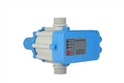
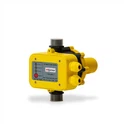
Hey there! As a supplier of LCD Pump Pressure Switches, I've seen firsthand how important it is to keep these devices in top - notch condition. In this blog, I'll walk you through the common maintenance tasks for an LCD Pump Pressure Switch.
1. Regular Inspection
The first and most basic maintenance task is regular inspection. You should visually check the LCD Pump Pressure Switch at least once a month. Look for any signs of physical damage, such as cracks in the housing, loose wires, or corrosion. Physical damage can not only affect the switch's performance but also pose a safety hazard.
For instance, if the housing has a crack, moisture or dust can get inside the switch, which may cause short - circuits or malfunction. Loose wires can lead to intermittent connections, resulting in the pump not starting or stopping at the right time. And corrosion can damage the internal components, reducing the switch's lifespan.
2. Cleaning
Cleaning is another crucial maintenance task. Over time, dust, dirt, and debris can accumulate on the LCD Pump Pressure Switch. This build - up can interfere with the switch's operation and affect the accuracy of the pressure readings on the LCD display.
To clean the switch, first, make sure the power is turned off to avoid any electrical shock. Then, use a soft, dry cloth to gently wipe the exterior of the switch, including the LCD screen. For stubborn dirt, you can slightly dampen the cloth with water, but make sure it's not too wet. Avoid using harsh chemicals or abrasive materials, as they can damage the switch's surface and the LCD screen.
3. Calibration
Calibration is essential to ensure that the LCD Pump Pressure Switch is accurately measuring and responding to pressure changes. Over time, the switch may drift out of calibration due to factors such as temperature variations, mechanical wear, or electrical interference.
Most LCD Pump Pressure Switches come with a calibration function. You can refer to the user manual for the specific calibration procedure. Generally, you'll need to use a calibrated pressure gauge to compare the pressure readings on the switch's LCD display. If there's a significant difference, you can adjust the switch's settings to bring it back into calibration.
It's recommended to calibrate the switch at least once a year, or more frequently if it's used in a harsh or demanding environment.
4. Checking the Seals
The seals on the LCD Pump Pressure Switch play a vital role in protecting the internal components from moisture, dust, and other contaminants. You should regularly check the seals for signs of wear, damage, or leakage.


If you notice any problems with the seals, such as cracks or gaps, they need to be replaced immediately. A damaged seal can allow moisture and dirt to enter the switch, which can lead to corrosion and malfunction. Make sure to use the correct replacement seals recommended by the manufacturer.
5. Testing the Electrical Connections
Good electrical connections are crucial for the proper functioning of the LCD Pump Pressure Switch. Loose or corroded electrical connections can cause voltage drops, intermittent operation, or even complete failure of the switch.
Periodically check all the electrical connections, including the wires, terminals, and plugs. Make sure they are tight and free of corrosion. If you find any loose connections, tighten them carefully. For corroded connections, you can clean them with a wire brush or a contact cleaner.
6. Monitoring the LCD Display
The LCD display on the pump pressure switch provides valuable information about the pressure and the switch's status. Keep an eye on the display for any abnormal readings or error messages.
If you see an error message, refer to the user manual to determine the cause and the appropriate solution. Sometimes, an error message may indicate a minor issue that can be easily fixed, such as a loose connection. Other times, it may signal a more serious problem that requires professional repair.
7. Lubrication (if applicable)
Some LCD Pump Pressure Switches may have moving parts that require lubrication. Check the user manual to see if your switch falls into this category. If lubrication is required, use the type of lubricant recommended by the manufacturer.
Over - lubrication can attract dust and debris, which can cause more problems. So, make sure to apply the lubricant sparingly and according to the specified intervals.
Related Products
If you're interested in other related products, we also offer a Wide Voltage Water Pump Controller, an Automatic Pump Pressure Switch, and a Factory Water Pump Switch. These products are designed to work seamlessly with our LCD Pump Pressure Switches and can enhance the overall performance of your water pump system.
Conclusion
Proper maintenance of an LCD Pump Pressure Switch is key to ensuring its long - term reliability and accurate performance. By following these common maintenance tasks, you can extend the lifespan of the switch, prevent costly breakdowns, and keep your water pump system running smoothly.
If you're in the market for high - quality LCD Pump Pressure Switches or have any questions about maintenance, feel free to reach out to us for a purchase discussion. We're here to help you make the best choice for your needs.
References
- Manufacturer's user manuals for LCD Pump Pressure Switches
- Industry standards and best practices for pump pressure switch maintenance