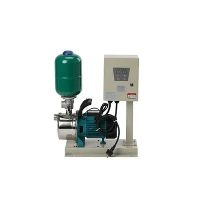
As a trusted supplier of LCD Pump Pressure Switch, I understand the importance of a seamless installation process. This guide aims to provide you with a comprehensive step-by-step approach to installing an LCD Pump Pressure Switch, ensuring optimal performance for your water pump system.


Understanding the Basics of an LCD Pump Pressure Switch
Before delving into the installation process, it's crucial to understand what an LCD Pump Pressure Switch is and how it functions. This device is designed to monitor and control the pressure in a water pump system. The LCD display provides real-time pressure readings, allowing for easy adjustment and monitoring of the pump's operation. It can automatically turn the pump on when the pressure drops below a set level and off when the pressure reaches the desired maximum, ensuring a consistent water supply.
Our LCD Pump Pressure Switch comes with advanced features such as wide voltage compatibility, making it suitable for various applications. It also offers high precision and reliability, ensuring long-term use without frequent maintenance.
Tools and Materials Required
To install an LCD Pump Pressure Switch, you will need the following tools and materials:
- Adjustable wrench
- Pipe cutter or hacksaw
- Teflon tape
- Electrical tape
- Multimeter (for electrical testing)
- Screwdriver
- Appropriate wrenches for the specific pump and switch fittings
Step-by-Step Installation Guide
Step 1: Safety First
Before starting any installation work, it's essential to ensure your safety. Turn off the power supply to the water pump to prevent any electrical accidents. Also, relieve the pressure in the water system by opening a faucet or valve.
Step 2: Locate the Installation Point
The LCD Pump Pressure Switch should be installed in a location that is easily accessible and away from any sources of heat, moisture, or physical damage. It is typically installed on the discharge pipe of the water pump, close to the pump itself.
Step 3: Prepare the Pipe
Using a pipe cutter or hacksaw, cut the discharge pipe at the chosen installation point. Ensure that the cut is clean and straight. Remove any burrs or rough edges from the pipe using a file or sandpaper.
Step 4: Wrap the Threads
Apply Teflon tape to the male threads of the pressure switch and the female threads of the pipe fitting. Wrap the tape in a clockwise direction to ensure a tight seal. Make sure to cover all the threads evenly.
Step 5: Install the Pressure Switch
Carefully screw the LCD Pump Pressure Switch onto the pipe fitting using an adjustable wrench. Tighten the switch securely, but be careful not to over-tighten, as this may damage the threads.
Step 6: Connect the Electrical Wires
Refer to the wiring diagram provided with the pressure switch to connect the electrical wires. Make sure to match the colors of the wires correctly. Use electrical tape to secure the connections and prevent any short circuits.
Step 7: Test the Installation
Once the pressure switch is installed and the electrical connections are made, turn on the power supply to the water pump. Check the LCD display to ensure that it is showing the correct pressure readings. Open a faucet or valve to test the system's operation. The pump should turn on when the pressure drops and off when the pressure reaches the set level.
Troubleshooting Tips
- No power to the switch: Check the electrical connections and ensure that the power supply is turned on. Use a multimeter to test the voltage at the switch terminals.
- Inaccurate pressure readings: Make sure that the pressure switch is properly calibrated. Refer to the user manual for instructions on how to calibrate the switch.
- Pump not turning on or off: Check the pressure settings on the switch and ensure that they are set correctly. Also, check the wiring connections to make sure that there are no loose or damaged wires.
Other Related Products
In addition to our LCD Pump Pressure Switch, we also offer other high-quality water pump controllers, such as the G1.25 Water Pump Controller and the Wide Voltage Water Pump Controller. These controllers are designed to provide reliable and efficient control of your water pump system, ensuring optimal performance and longevity.
Contact Us for Procurement
If you're interested in purchasing our LCD Pump Pressure Switch or any other related products, we invite you to contact us for procurement discussions. Our team of experts is ready to assist you in selecting the right product for your specific needs and providing you with the best possible solution.
References
- Manufacturer's user manual for the LCD Pump Pressure Switch
- Industry standards and guidelines for water pump system installation