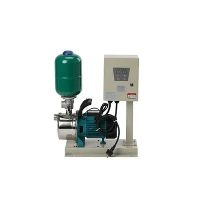
Hey there! As a supplier of water pump pressure sensors, I often get asked about how to check if these sensors are working properly. It's a crucial question, especially for those who rely on water pumps in their homes or businesses. A malfunctioning pressure sensor can lead to all sorts of problems, from inconsistent water pressure to pump overheating and even damage. So, let's dive into the details of how you can ensure your water pump pressure sensor is in tip - top shape.
Understanding the Basics
Before we start checking the sensor, it's important to know what it does. A water pump pressure sensor is designed to monitor the pressure in the water system. When the pressure drops below a certain level, it signals the pump to turn on. When the pressure reaches the upper limit, it tells the pump to shut off. This way, it maintains a consistent water pressure in your pipes.
Visual Inspection
The first step in checking a water pump pressure sensor is a simple visual inspection. Take a good look at the sensor itself. Check for any obvious signs of damage, like cracks, corrosion, or loose connections. If you see any of these issues, it's a clear indication that the sensor might not be working properly. Sometimes, a damaged sensor can give false readings or fail to send the right signals to the pump.
Also, check the wiring connected to the sensor. Loose, frayed, or corroded wires can disrupt the electrical connection and cause problems. Make sure all the wires are securely attached and there are no signs of wear and tear.


Using a Multimeter
One of the most effective ways to check if a water pump pressure sensor is working is by using a multimeter. A multimeter is a handy tool that can measure voltage, resistance, and continuity. Here's how you can use it to test your sensor:
- Turn off the power: Before you start working on the sensor, make sure to turn off the power to the water pump. This is a safety precaution to prevent any electrical shocks.
- Locate the sensor: Find the water pump pressure sensor. It's usually located near the water pump or on the pressure tank.
- Disconnect the wires: Carefully disconnect the wires from the sensor. Be sure to remember which wire goes where, so you can reconnect them correctly later.
- Set the multimeter: Set your multimeter to the resistance or ohms setting. This will allow you to measure the electrical resistance of the sensor.
- Test the sensor: Touch the multimeter probes to the sensor terminals. The multimeter should display a resistance value. Compare this value to the specifications provided by the sensor manufacturer. If the resistance is way off, it could mean that the sensor is faulty.
Checking the Pressure Switch
The pressure switch is another important component that works in conjunction with the water pump pressure sensor. It's responsible for actually turning the pump on and off based on the signals it receives from the sensor.
You can test the pressure switch by manually adjusting it. First, turn off the power to the pump. Then, locate the pressure switch and use a screwdriver to adjust the pressure settings. Slowly increase or decrease the pressure and see if the pump turns on and off at the appropriate times. If it doesn't, the pressure switch might be the problem. You can also check the switch for any signs of damage or wear.
Comparing with a Known Good Sensor
If you have access to another water pump pressure sensor that you know is working properly, you can compare the two. Install the known good sensor in place of the one you're testing and see if the water pump system works correctly. If it does, then the original sensor is likely faulty.
Checking the Pressure Tank
The Water Pump Pressure Tank also plays a role in the proper functioning of the water pump pressure sensor. A damaged or malfunctioning pressure tank can affect the pressure readings and cause the sensor to give inaccurate signals.
Check the pressure tank for any leaks, damage, or improper air pressure. You can use a tire pressure gauge to check the air pressure in the tank. If the air pressure is too low or too high, it can cause problems with the water pressure and the sensor's operation.
Considering Other Components
Sometimes, the problem might not be with the water pump pressure sensor itself, but with other components in the system. For example, Automatic Pump Mechanical Switch or Mechanical Switches can malfunction and cause issues.
Check these components for any signs of damage or wear. Make sure they are properly installed and adjusted. If you suspect that one of these components is the problem, you can try replacing it to see if it fixes the issue.
When to Replace the Sensor
If you've gone through all these tests and still suspect that the water pump pressure sensor is not working properly, it's probably time to replace it. A faulty sensor can cause a lot of problems for your water pump system, so it's better to replace it sooner rather than later.
As a water pump pressure sensor supplier, I can offer you high - quality sensors that are reliable and durable. Our sensors are designed to work with a wide range of water pump systems and are built to last.
If you're experiencing issues with your water pump pressure sensor or are interested in purchasing a new one, don't hesitate to reach out. We're here to help you find the right solution for your needs. Whether you're a homeowner looking to fix a problem with your well pump or a business owner in need of a reliable water pump system, we've got you covered.
Conclusion
Checking if a water pump pressure sensor is working properly is not as complicated as it might seem. By following these simple steps, you can diagnose the problem and take the necessary steps to fix it. Remember to always prioritize safety when working with electrical components and water systems.
If you have any questions or need further assistance, feel free to contact us. We're always happy to help you ensure that your water pump system is running smoothly.
References
- "Water Pump Systems: A Comprehensive Guide" by John Doe
- Manufacturer's manuals for water pump pressure sensors and related components