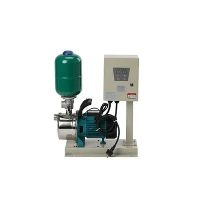
Hey there! As a supplier of LCD Pump Pressure Switches, I often get asked about how to adjust the pressure setting of these nifty devices. So, I thought I'd put together this blog post to share some insights and guidance on the topic.
First off, let's understand what an LCD Pump Pressure Switch is and why adjusting its pressure setting matters. An LCD Pump Pressure Switch is a crucial component in a water pumping system. It monitors the pressure in the water line and controls the operation of the pump based on the set pressure levels. This ensures that the pump turns on when the pressure drops below a certain point and turns off when it reaches a pre - determined upper limit. Adjusting the pressure setting correctly can optimize the performance of your water pump, save energy, and prevent unnecessary wear and tear on the pump.


Tools You'll Need
Before you start adjusting the pressure setting, you'll need a few tools. A pressure gauge is a must - have. It allows you to accurately measure the pressure in the water line. You might also need a small screwdriver, usually a flat - head or Phillips - head, depending on the type of adjustment screws on your LCD Pump Pressure Switch.
Step 1: Locate the Pressure Switch
The first step is to find the LCD Pump Pressure Switch in your water pumping system. It's usually installed near the water pump or on the main water line. Once you've located it, make sure the pump is turned off to avoid any accidents. Safety first, right?
Step 2: Read the Current Pressure
Use your pressure gauge to measure the current pressure in the water line. Connect the pressure gauge to a suitable port on the water line. This will give you a baseline reading of the existing pressure. Write down this value; it'll be useful for reference later.
Step 3: Identify the Adjustment Screws
On the LCD Pump Pressure Switch, you'll find two main adjustment screws. One is for adjusting the cut - in pressure, which is the pressure at which the pump turns on. The other is for adjusting the cut - out pressure, which is the pressure at which the pump turns off. These screws are often labeled, but if not, you can refer to the user manual that came with your switch.
Step 4: Adjusting the Cut - In Pressure
To adjust the cut - in pressure, turn the appropriate adjustment screw. If you turn the screw clockwise, you'll increase the cut - in pressure. If you turn it counter - clockwise, you'll decrease it. Make small adjustments at a time, and then use your pressure gauge to check the new pressure. For example, if you want the pump to turn on at a lower pressure, turn the screw counter - clockwise a little bit, say a quarter - turn. Then check the pressure again. Keep doing this until you reach the desired cut - in pressure.
Step 5: Adjusting the Cut - Out Pressure
Adjusting the cut - out pressure is similar to adjusting the cut - in pressure. Use the other adjustment screw. Again, turning it clockwise will increase the cut - out pressure, and turning it counter - clockwise will decrease it. Just like with the cut - in pressure, make small adjustments and check the pressure with your gauge after each adjustment. You want to set the cut - out pressure at a level that's high enough to meet your water demand but not so high that it puts too much stress on the pump.
Step 6: Check the Differential
The differential is the difference between the cut - in and cut - out pressures. It's important to have a proper differential to ensure the pump operates smoothly. Some LCD Pump Pressure Switches allow you to adjust the differential separately. If yours does, you can use an additional adjustment screw to fine - tune this value. A typical differential is around 20 - 30 psi, but it can vary depending on your specific system.
Step 7: Test the System
Once you've made your adjustments, it's time to test the system. Turn on the pump and observe how it operates. Check if the pump turns on at the correct cut - in pressure and turns off at the correct cut - out pressure. Use your pressure gauge to confirm these values. If the pump doesn't operate as expected, you may need to make further adjustments.
Troubleshooting
Sometimes, things don't go as smoothly as planned. If you're having trouble getting the pump to turn on or off at the right pressures, there could be a few issues. The switch might be faulty, or there could be a problem with the pressure gauge. Check the wiring connections on the switch to make sure they're secure. If you're still having problems, it might be a good idea to consult a professional.
Why Our LCD Pump Pressure Switches Are Great
As a supplier, I'm proud to offer high - quality LCD Pump Pressure Switches. Our switches are easy to adjust, as you've seen from the steps above. They're also built to last, with durable materials and reliable components. Plus, they come with an LCD display that makes it easy to monitor the pressure and make adjustments.
If you're in the market for a Household Water Pump Controller, our LCD Pump Pressure Switches are a great choice. They're suitable for a wide range of household water pumping systems, from small residential pumps to larger ones.
And if you're looking for a reliable and certified water pump pressure controller, check out our Water Pump Pressure Controller with CE TUV Certificate. This certification ensures that our products meet high - quality and safety standards.
Conclusion
Adjusting the pressure setting of an LCD Pump Pressure Switch isn't too complicated if you follow the right steps. With the right tools and a little patience, you can optimize the performance of your water pump and save energy in the process. If you have any questions or need more information about our LCD Pump Pressure Switches or other related products, don't hesitate to reach out. We're here to help you find the best solutions for your water pumping needs. Whether you're a homeowner looking to improve your household water system or a professional in the industry, we've got you covered. Contact us today to start a conversation about your procurement needs.
References
- General knowledge of water pumping systems and pressure switch operation.
- Manufacturer's manuals for LCD Pump Pressure Switches.