Hey there! As a supplier of 380V water pump inverters, I've seen firsthand how crucial it is to keep your equipment up - to - date. One of the best ways to ensure your 380V water pump inverter runs smoothly and efficiently is by upgrading its firmware. In this blog, I'll walk you through the steps to upgrade the firmware of a 380V water pump inverter.
Why Upgrade the Firmware?
Before we dive into the how - to, let's talk about why you should upgrade the firmware in the first place. Firmware upgrades can bring a bunch of benefits. For starters, they often come with performance improvements. Your inverter might run more quietly, use less energy, or have a longer lifespan after a firmware upgrade.
Security is another big reason. Just like your computer or smartphone, inverters can be vulnerable to security threats. Upgrading the firmware can patch up any security holes and keep your system safe.
New features are also a plus. Maybe the new firmware has better control algorithms for your water pump, or it allows for easier integration with other systems. Whatever the case, upgrading can give your inverter a new lease on life.
Pre - upgrade Checks
Alright, so you're convinced that you need to upgrade the firmware. The first thing you gotta do is some pre - upgrade checks.
Check Compatibility: Not all firmware upgrades are suitable for every model of 380V water pump inverter. You need to make sure that the firmware you're planning to install is compatible with your specific inverter. You can usually find this information in the product manual or on the manufacturer's website.
Backup Your Settings: Before you start the upgrade, it's a good idea to back up your current settings. This way, if something goes wrong during the upgrade, you can easily restore your inverter to its previous state. Most inverters have a way to save the settings to an external device, like a USB drive.
Inspect the Hardware: Take a look at your inverter to make sure there are no obvious signs of damage or wear. A damaged inverter might not handle the firmware upgrade well. Check for loose connections, frayed wires, or any other issues.
Gathering the Necessary Tools
Once you've done your pre - upgrade checks, it's time to gather the tools you'll need for the upgrade.
Computer with Internet Access: You'll need a computer that can connect to the internet to download the latest firmware. Make sure your computer is running a stable operating system and has enough storage space to download the firmware file.
USB Drive: A USB drive is usually used to transfer the firmware from your computer to the inverter. Make sure it's formatted correctly and has enough space to hold the firmware file.
User Manual: The user manual for your 380V water pump inverter is your best friend during the upgrade process. It'll have all the specific instructions for your model, so keep it handy.
Downloading the Firmware
Now it's time to download the firmware.
Visit the Manufacturer's Website: Head over to the manufacturer's website. Look for the support or downloads section. Here, you should be able to find the firmware for your specific model of 380V water pump inverter.
Find the Right Version: Make sure you're downloading the right version of the firmware. The website might have different versions for different models or for different purposes. Double - check the product number and other details to ensure you're getting the correct one.
Download and Save: Once you've found the right firmware, click the download button. Save the file to your computer, preferably in a location where you can easily find it later.
Transferring the Firmware to the USB Drive
After you've downloaded the firmware, it's time to transfer it to the USB drive.
Format the USB Drive: If your USB drive isn't already formatted correctly, you'll need to format it. Most inverters require the USB drive to be formatted in FAT32. You can use the built - in formatting tool on your computer to do this.
Copy the Firmware File: Once the USB drive is formatted, copy the firmware file from your computer to the USB drive. Make sure the file is transferred completely and without any errors.
Upgrading the Firmware
Now comes the main event: upgrading the firmware.
Power Off the Inverter: Before you start the upgrade, turn off the power to your 380V water pump inverter. This is important for safety reasons and to prevent any damage to the inverter during the upgrade process.
Insert the USB Drive: Insert the USB drive with the firmware file into the appropriate port on your inverter. The location of the port might vary depending on the model, so refer to the user manual if you're not sure.
Power On the Inverter: Turn the power back on to your inverter. The inverter should detect the USB drive and start the upgrade process automatically. Some inverters might have a specific button or menu option to start the upgrade, so check the manual.
Wait for the Upgrade to Finish: The upgrade process can take some time, depending on the size of the firmware file and the speed of your inverter. Don't interrupt the process or remove the USB drive until it's complete. You'll usually see some status indicators on the inverter's display to let you know how the upgrade is going.
Verify the Upgrade: Once the upgrade is finished, remove the USB drive. Check the inverter's settings and functionality to make sure the upgrade was successful. You might want to run some basic tests on your water pump to see if it's working as expected.
Post - upgrade Checks
After the upgrade is done, there are still a few things you need to do.


Restore Your Settings: If you backed up your settings before the upgrade, now is the time to restore them. Follow the instructions in the user manual to load the settings from your backup.
Test the Inverter: Run some comprehensive tests on your 380V water pump inverter. Check for any abnormal noises, vibrations, or performance issues. Make sure the new features, if any, are working as advertised.
Monitor the System: Keep an eye on your inverter for the next few days or weeks. Sometimes, issues might not show up immediately. Monitoring can help you catch any potential problems early on.
Where to Find Quality 380V Water Pump Inverters
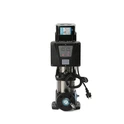
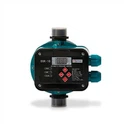
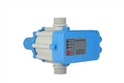
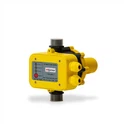
If you're in the market for a new 380V water pump inverter or you want to explore more options, we've got some great products for you. Check out our Variable Frequency Pump Constant Voltage Controller, which offers excellent control and stability for your water pump. Our New Three - phase Water Pump Inverter is also a top - notch choice, with advanced features and reliable performance. And of course, our Water Pump Inverter series has a wide range of models to suit different needs.
Contact Us for Procurement
If you're interested in purchasing our 380V water pump inverters or have any questions about firmware upgrades or other technical issues, don't hesitate to get in touch with us. We're always here to help you find the best solutions for your water pump systems. Whether you're a small business or a large industrial operation, we can provide the products and support you need.
References
- Manufacturer's product manuals for 380V water pump inverters
- Online resources and forums related to water pump inverter technology